
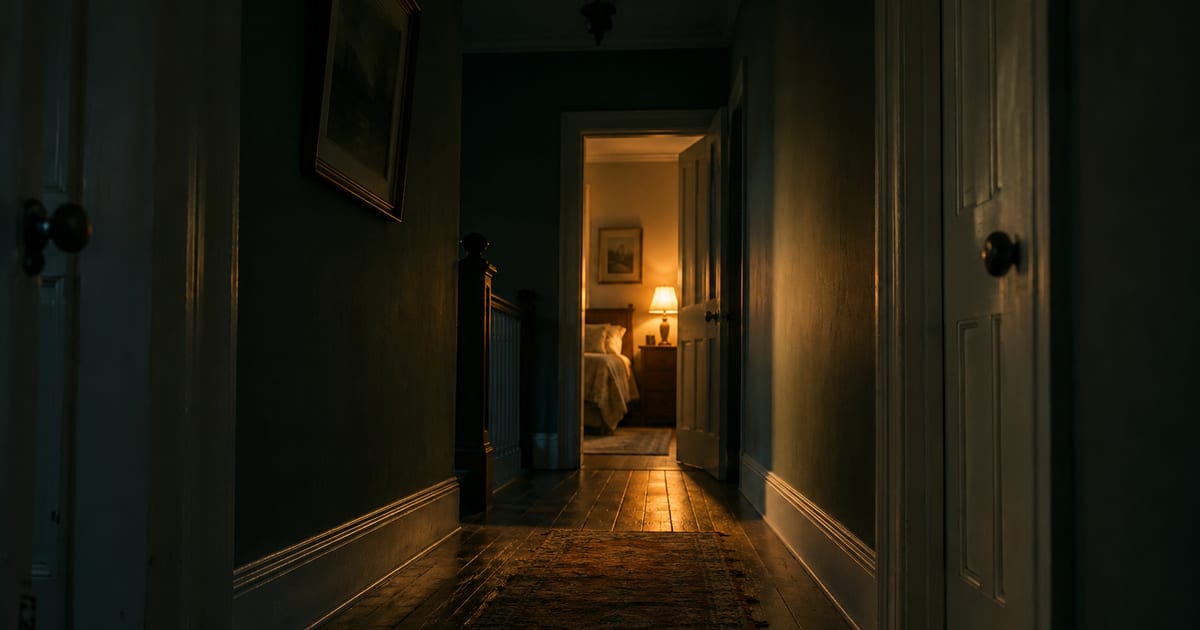
Not very. Apple rates Brr Brr Patapim Game 9+ and lists one content descriptor on it: infrequent or mild horror and fear themes. A level is a dark room, a clock, and a sudden face if the flashlight lands on the wrong thing. There is no blood, no violence shown, and nobody to talk to.
That is the short answer, and the rest of this page is the working. It is written by the team that makes the game, which is a reason to check the claims rather than take them, so everything below is either something you can see on the store listing yourself or something Apple publishes.
What does a 9+ rating actually mean?
Apple’s own definition is narrower than most people assume. In App Store Connect, a developer answers a questionnaire about what the app contains, and Apple generates the rating from those answers. The 9+ tier covers apps that may contain content not suitable for children under the age of 9, and the listed categories include infrequent profanity or crude humor, infrequent horror or fear themes, infrequent cartoon or fantasy violence, and a few others. The tiers above it are 13+, 16+ and 18+.
On this game’s listing, the only descriptor Apple shows is the horror one: infrequent or mild horror and fear themes. Nothing under violence, nothing under language, nothing under chance based activities. If you have ever wondered what separates a 9+ game from a 13+ one, that difference is exactly it.
What happens in one level?
The whole game is one loop, repeated. The screen is black. You drag a finger and a circle of light moves with it, showing only what is inside the circle. Somewhere in the room is a cartoon frog called Slim, and he only appears while the light is on him. Find him before the timer runs out and the level is won.
Two things work against you. The flashlight battery drains while you search, and if it empties the room goes dark. And Brr Brr Patapim is in the room, moving to a new spot every few seconds, unseen. If the beam lands on him, his face appears and the level ends. Then you tap to try again.
That is it. There is no fighting, no chasing, nothing to escape from on foot. The tension comes from not knowing where in a dark room something is, which is the same tension as hide and seek in a house with the lights off. The how to play guide walks through the search method in more detail if your child is stuck rather than scared.
So how bad is the jump moment?
It is sudden, and it is meant to be. The game’s own store description promises hidden jump scares, so we are not going to pretend the caught screen is gentle: the face appears without warning, with sound, and then the level is over.
Two things take the edge off in practice. It happens in the same way every time, so a child learns its shape quickly and it stops landing after a few rooms. And the character it shows is Brr Brr Patapim, a cartoon creature from a meme with a silly name, which most children already find funny. A jump that comes from a familiar joke character is a different experience from one that comes from something realistic.
Play the first room yourself with the sound on. Thirty seconds will tell you more than any description, including this one.
What is not in the game?
Listed plainly, because these are usually the real questions:
- No blood, no injury, no violence shown.
- No chat, no multiplayer, no friend requests, no way for anyone to contact your child through it.
- No account, no sign up, no email address, no personal details asked for.
- No bad language.
- No loot boxes or randomized purchases. Apple lists none on the rating, and there is one purchase in the whole game.
What does it cost, and what about the adverts?
The listing says free with in app purchases. The free game is the whole game and it shows adverts between attempts. There is one optional upgrade, Brr Brr Patapim Premium, priced at 0.99 US dollars on the listing at the time of writing, which removes the adverts, removes the battery limit and unlocks every level on the map straight away.
One purchase, one price, no currency to buy and nothing that runs out. If you want to know what is actually being asked of your wallet, that is the entire answer.
A few other numbers from the same listing: the download is about 110 MB, it needs iOS 16.4 or later, it first appeared in August 2025, and it currently shows three ratings in total. Three is not enough ratings to mean anything, so ignore the star count and judge the game itself.
Which children will not enjoy it?
A child who dislikes the dark, or who dislikes being startled, will not have a good time, and the 9+ rating is a fair guide to that. Age is less useful here than temperament. Children who already play hide and seek games, or who know the brainrot characters from school, tend to treat it as a joke with a clock attached. Children who are still wary at bedtime should not be handed a game about a dark room.
If you are unsure, sit next to them for the first two rooms. It also helps to know who Brr Brr Patapim is before the first jump, because a character you have been introduced to is far less startling than one who arrives in your face.
One note on what this game is not. It is a fan made game built around a community meme character, and Brr Brr Patapim has no single owner, which is why you will find several unrelated apps using the same name. The character comes from Italian brainrot, a wave of internet memes that emerged in early 2025 built on AI generated images of absurd creatures with mock Italian names. If your child is asking for something they saw a friend playing, it is worth checking you are both talking about the same app.
How do you set limits on the phone?
Apple’s parental controls handle all three of the usual worries. In the Settings app, tap Family, then your child’s name. Under Apps and Websites, then Restrictions, Ask to Buy lets you require your approval for any purchase, which covers the Premium upgrade. Content and Privacy Restrictions lets you set the age ratings allowed on the device. Time Allowances sets how long a category of app can be used each day.
Setting Ask to Buy takes about a minute and it is the single most useful thing you can do before handing back the phone.
If you would rather have the short version on one page, the parents’ guide covers the same ground without the working.
The fastest way to settle this is still to play it yourself. It is free, the first room takes under two minutes, and you will know immediately whether it suits your child better than any rating can tell you.